Email: info@nocodepakistan,com
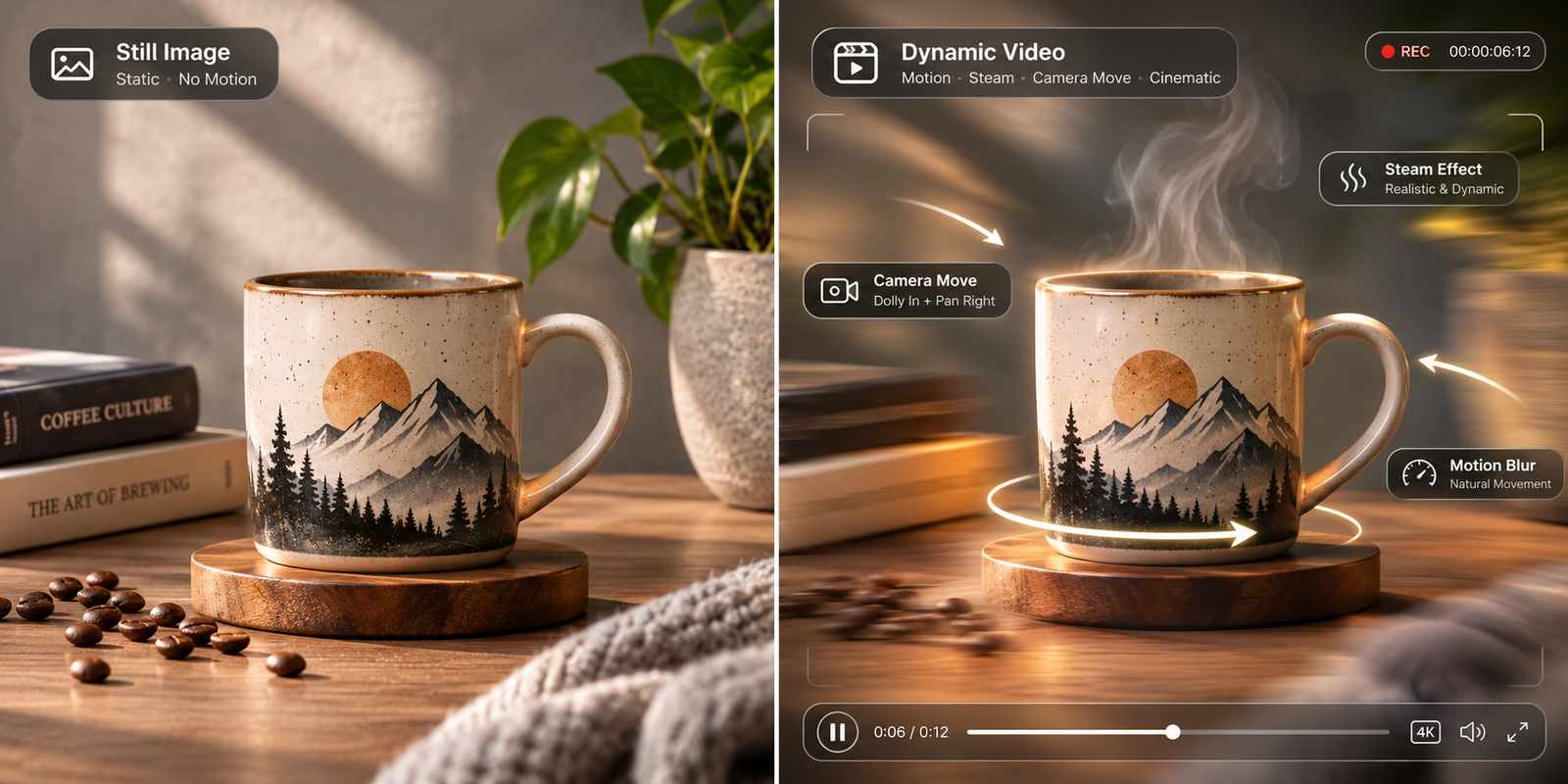

Image to AI videos is changing how creators, marketers, and online sellers convert static photos into dynamic motion clips. With the right image to video AI workflow, a single product photo or landscape shot turns into a cinematic video in seconds. In this comprehensive guide, you will learn how image to video AI works, how to write camera movements, and how to keep your subjects consistent.
Boost Your Video Workflow Fast Stop struggling with static photos and manual keyframing. Save dozens of creation hours with our complete ready-to-use prompt library. Get the Image-to-Video Guide + 500 Prompts on Etsy
Table of Contents
How image to AI video works
Image to AI video uses advanced diffusion models trained on vast video datasets to predict movement over time based on an initial input frame. Unlike standard text-to-video generation, image to video AI takes your exact image as the anchor point, generating new frames while preserving structural composition and visual identity.
When you upload an image, the neural network analyzes depth, boundaries, lighting, and textures. It then interprets your text prompt or directional controls to simulate realistic physics, fluid motion, and camera panning. This capability makes image to AI video an indispensable asset for turning photography into high-converting video ads and social media clips.
Choosing the right source image
Not every photograph produces smooth video output. Using high-quality source photos guarantees that the generation process yields photorealistic frames without visual glitches or artifacts.
- High contrast and clarity: Sharp photos with distinct subjects help the visual model separate foreground objects from background elements smoothly.
- Uncluttered composition: Busy backgrounds confuse the depth-estimation engines, causing erratic warp effects during motion sequence rendering.
- Balanced resolution: Standard square or high-definition vertical ratios ensure optimal rendering speeds without pixelation during motion interpolation.
Prompt framework (subject, motion, camera, light, mood)
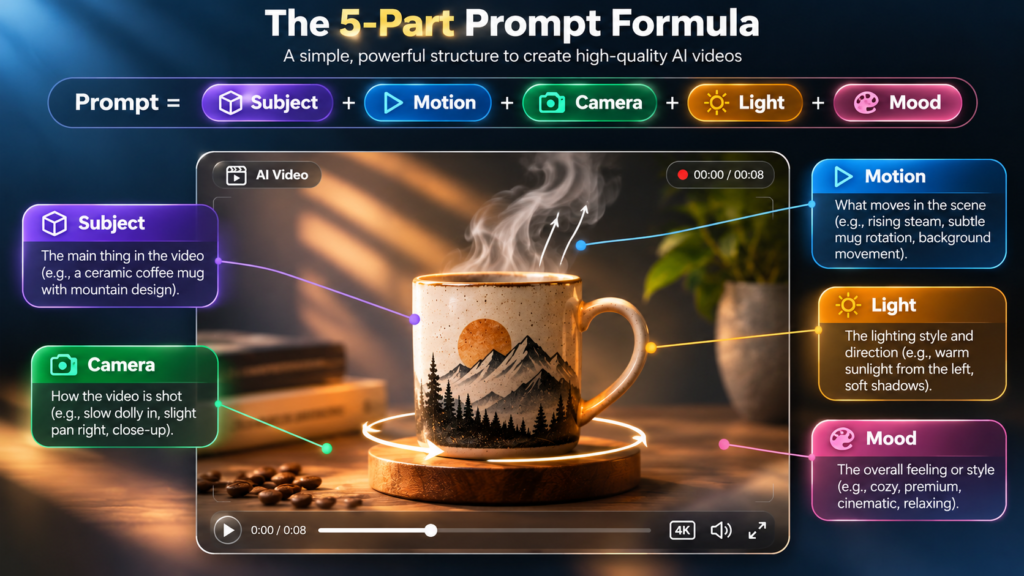
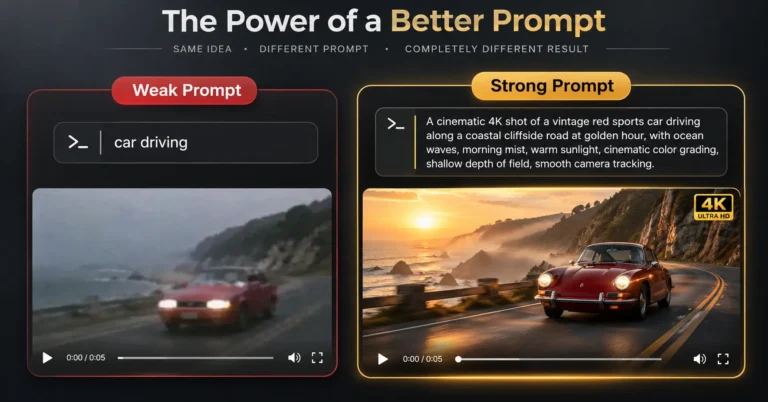
Writing prompts for image to AI videos requires detailing explicit movement instructions rather than re-describing the image content alone. Use this proven 5-part formula to structure every video generation prompt:
- Subject: State the primary object or person locked in the source frame.
- Motion: Describe the specific action or movement happening within the shot.
- Camera: Specify exact movement angles (pan, tilt, zoom, dolly, orbit).
- Light: Define ambient changes, light leaks, or shadow movement.
- Mood: Set the visual atmosphere, tempo, and cinematic feel.
30 image to AI video prompts
Copy and adapt these 30 ready-to-use image to video AI prompts across top content categories.
Portrait Prompts
- Subject blinks naturally, subtle wind blows hair gently across face, slow zoom-in on eyes, soft golden hour lighting, cinematic calm mood.
- Subject turns head slowly toward camera, subtle warm smile, static camera shot, dramatic rim lighting shifts, introspective mood.
- Subject takes a slow breath, background pedestrians blur past in fast motion, camera remains stationary, rainy neon reflections, moody atmosphere.
- Model tilts chin upward, sunlight flashes softly through autumn tree leaves, micro slow-motion movement, soft focus, serene mood.
- Person looks out train window, subtle reflection motion across glass, smooth slow pan to the right, ambient twilight lighting, melancholic mood.
- Subject smiles and laughs naturally, light lens flare crosses frame, gentle handheld camera camera motion, bright morning light, joyful energy.
Product Prompts
- Perfume bottle standing on stone, micro water droplets slide down glass surface, camera orbits smoothly, soft studio softbox lighting, luxury commercial mood.
- Ceramic mug resting on table, steam rises slowly in swirling patterns, static camera frame, warm morning sunlight streaming, cozy lifestyle mood.
- Running shoes on dark concrete, neon light streaks sweep across the background, fast push-in camera movement, dramatic studio spotlighting, high-energy mood.
- Skincare bottle placed on smooth marble, liquid pool ripples around base, gentle top-down camera tilt, bright daylight glow, clean minimal mood.
- Luxury wristwatch face, second hand ticks smoothly around dial, extreme macro zoom out, direct specular highlight reflection, elegant mood.
- Matte black sunglasses frame on sand, ocean gentle foam wave washes up near edge without touching, slow dolly back, warm sunset lighting, chic summer mood.
Real Estate & Architecture Prompts
- Modern villa pool side view, water ripples lazily under clear sky, slow camera pan left, golden afternoon light, luxurious tranquil mood.
- Cozy cabin living room, fire crackles gently in stone fireplace, static camera angle, warm ambient ember lighting, inviting rustic mood.
- Exterior glass skyscraper view, clouds move rapidly across reflective glass facade, smooth rising pedestal camera movement, bright crisp daylight, corporate mood.
- Historic stone alleyway, rain drops fall into small ground puddles creating circular waves, slow forward tracking shot, street lamp glow, historic atmospheric mood.
- Minimalist bedroom interior, sheer curtains sway softly in open window breeze, gentle right-to-left camera dolly, soft natural diffused light, peaceful mood.
- Sunlit kitchen counter setup, steam rises from fresh coffee, subtle tilt-down movement, soft morning ambient backlight, warm residential mood.
Travel & Nature Prompts
- Majestic mountain peak view, mist rolls smoothly across lower valley, slow cinematic zoom out, sunrise golden light, epic breathtaking mood.
- Tropical beach shoreline, ocean waves crest and break smoothly over white sand, fixed wide camera angle, brilliant midday sunlight, relaxing paradise mood.
- Forest trail path in autumn, leaves drift down gently through canopy air, forward dolly movement along path, soft dappled sunbeams, enchanting mood.
- Desert sand dunes expanse, wind blows fine sand particles across ridge, slow right camera pan, dramatic low-angle sunset lighting, majestic desolate mood.
- Waterfall cascading off cliff edge, water drops spray upward, slow-motion high frame rate look, stationary camera, bright direct sunlight, refreshing natural mood.
- Lake surface at dusk, small ripples reflect colorful sky, gentle crane shot rising, cool twilight ambient light, tranquil meditative mood.
Food & Beverage Prompts
- Stack of pancakes on plate, maple syrup drips down sides in slow motion, macro focus static camera, warm directional morning lighting, mouth-watering mood.
- Ice cubes dropped into dark cola glass, liquid splashes upward with small bubbles rising, dynamic low-angle push-in, bright key lighting, energetic commercial mood.
- Fresh pizza slice pulled away from pie, melted cheese stretches smoothly, slow tilt upward camera move, rustic brick oven backlight, tempting cozy mood.
- Iced matcha latte in clear glass, milk swirls slowly into green matcha liquid layer, extreme close-up shot, crisp studio lighting, refreshing clean mood.
- Chocolate bar breaking apart, cocoa powder dust floats gently off edges, high speed macro track-in, focused spotlight beam, rich indulgence mood.
- Hot artisan soup bowl, subtle steam swirling off surface with fresh herbs, slow rotation camera move, soft overhead dining light, warm comforting mood.
Keeping faces and products consistent
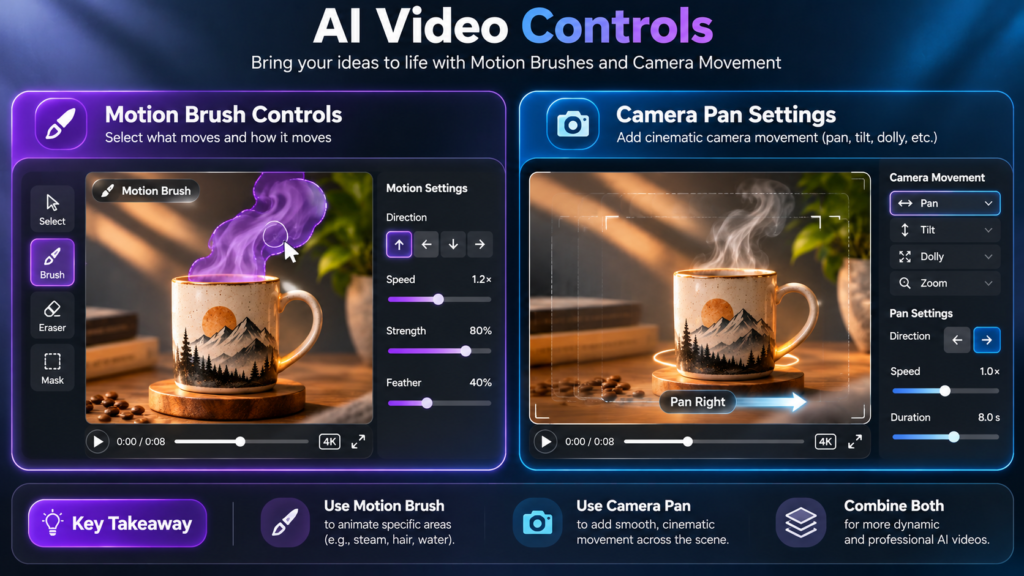
Maintaining subject visual consistency remains one of the primary challenges when generating multiple video scenes. When working with sequential prompts, keep character traits and brand elements uniform using these tactics:
- Use precise descriptors: Keep face shape, hair color, wardrobe, and product dimensions identical across every prompt string.
- Match motion seeds and camera settings: When using tools like Google Flow Tutorial: 7 Easy Steps to Your First AI Video, maintain camera speeds and prompt weight settings to stop visual warping.
- Refine dynamic movement: Combine image-to-video tools with strategies outlined in our guide on Faceless Reels Ideas: 40 Viral Concepts You Can Make With AI to make seamless multi-clip social edits.
To scale video ad creative production, using curated prompt packages saves hundreds of testing hours. You can easily browse thousands of verified video asset prompts in the complete collection available at the Aesthentica Studio on Etsy.
Best image to AI video tools
Selecting the proper generation engine impacts clip quality, frame stability, and rendering control.
| Tool Name | Key Strengths | Camera Control Level | Best Suited For |
| Runway Gen-2 / Gen-3 | Ultra-realistic motion, high fidelity | Advanced (Motion Brush, Camera Controls) | Cinematic Commercials, Film Sets |
| Kling AI | Long clip durations, high physical realism | High (Prompt Weights & Motion Sliders) | Product Motion, Complex Physics |
| Luma Dream Machine | Fast rendering, fluid camera tracks | Medium (Text & Keyframe Guides) | Action Motion, Dynamic Camera |
| Pika Labs | Precise motion brush, region editing | High (Modify Region & Canvas Panning) | Targeted Object Motion, Micro-Animate |
Learn more detailed video generation techniques in official software documentation on the Runway Research and Prompting Guide.
Get the full guide with 500 prompts
Mastering image to video AI opens up limitless content possibilities for digital creators, ecommerce sellers, and agencies. Rather than spending hours testing motion syntax, unlock instant access to hundreds of engineered video workflows today.
Unlock the Complete Video Prompt Toolkit
Transform any static image into professional video ads, cinematic scenes, and viral short clips effortlessly.
- 500+ customizable camera movement and scene prompts
- Complete step-by-step guidance on character and product consistency
- Instant download with lifetime template updates
In summary, leveraging image to video AI gives you the power to create professional-quality video content directly from your existing photo library. By picking strong input photos, using structured motion prompts, and following consistency guidelines, image to video AI will elevate your digital marketing strategy and maximize audience engagement. Explore our full prompt sets at Aesthentica Studio on Etsy to accelerate your creative output today!
Frequently Asked Questions
What is image to AI video?
Image to AI video is an artificial intelligence technology that takes a static source photograph or image and generates moving video frames based on text prompts, camera direction, and motion prediction models.
Which AI tools are best for turning photos into videos?
Top image to video AI tools include Runway Gen-3, Kling AI, Luma Dream Machine, Pika Labs, and Google Flow. Each platform provides distinct controls for camera movement, motion intensity, and rendering style.
How do I write better image to AI video prompts?
Structure your prompts using a 5-part framework: subject, specific subject motion, camera direction (e.g., pan, tilt, zoom), lighting shifts, and overall cinematic mood. Focus heavily on describing the movement rather than just the visual static scene.
Can image to video AI keep my product appearance consistent?
Yes, by providing high-contrast source images, locking prompt descriptors, avoiding extreme motion forces, and utilizing dedicated motion brushes or reference frames inside advanced AI video tools.
Is image to video AI useful for social media marketing?
Absolutely. Image to video AI allows creators and sellers to turn single product photos or digital artworks into dynamic video reels, TikTok clips, and product ads without expensive camera gear or studio setups.